AI-Assisted Mobile UI Test
Automation
using Claude
Master mobile UI test automation with Appium and supercharge your productivity using Claude, the AI assistant that writes, debugs, and scales your test framework with you.
Dates
June 7, 14, 21, 28 2026
Time
2:00 PM - 6:00 PM SGT
Format
Online (Live)
Build Real Frameworks
End-to-end mobile UI test automation frameworks built from scratch across iOS and Android, with POM, data-driven testing, and CI/CD baked in.
AI-Accelerated Workflow
Use Claude Code to generate page objects, test data, utilities and debug flaky tests — shipping a week's worth of automation in an afternoon.
Playwright-Style Finale
Finish by rebuilding your suite in taqwright — Playwright's runner over Appium 3 — with recording, AI-generated tests, and cloud runs on BrowserStack.
What You Will Learn
Build complete Appium frameworks from scratch — then scale them with AI.
Appium from Zero to Confident
Understand Appium architecture, desired capabilities, locator strategies, and core commands across iOS and Android — in both Node (WebdriverIO) and Python (pytest).
Advanced Mobile Interactions
Gestures (swipe, scroll, pinch), alerts, permissions, and working with WebView contexts in hybrid apps.
Design Patterns & POM
Build maintainable frameworks using Page Object Model, reusable utilities, and data-driven test design.
AI-Assisted Test Development
Use Claude Code with the Appium MCP server to drive the real device, author specs and page objects, and hunt flaky tests with a custom sub-agent.
CI/CD & Cloud Device Farms
Run tests on GitHub Actions with parallel execution on the BrowserStack real-device grid.
Reporting, CI & taqwright
Allure / pytest-html reporting with screenshot-on-failure, CI on GitHub Actions, and a Playwright-style finale with taqwright — codegen, AI-generated tests, and cloud runs.
Who Should Attend
Perfect for engineers ready to level up mobile UI test automation with AI assistance.
QA Engineers & SDETs
Ready to expand into mobile UI test automation or modernise existing Appium suites with AI.
Mobile Developers
iOS/Android developers who want to own automation for their apps end-to-end.
Automation Leads
Leaders evaluating AI-assisted development for their team's test velocity and quality.
Manual Testers Leveling Up
Transitioning to automation and keen to use AI as a learning accelerator.
DevOps & Platform Engineers
Integrating mobile tests into CI/CD and cloud device farm pipelines.
Anyone Curious About AI in QA
Want to see Claude pair-programming on real mobile UI test automation, not just a demo.
Prerequisites
What you need before Day 1
Basic Programming
Comfortable with JavaScript, Python, or Java fundamentals.
Software Testing Basics
Familiarity with common testing concepts — test cases, assertions, test pyramid.
Laptop with Admin Access
Required for installing Appium, Android Studio / Xcode, and running emulators.
Claude Code Access
We'll help you set up Claude Code CLI on Day 3 — no existing subscription required.
What You'll Get
Everything you need to ship production-grade mobile UI test automation.
Course Materials
Slides, cheat sheets for Appium commands and locators, and reference guides.
Starter Repo
Pre-configured starter templates, sample apps, and Docker containers.
Community Access
Private cohort channel plus the taqelah! community for ongoing learning.
Certificate
Certificate of completion to showcase your mobile UI test automation + AI skills.
Your Instructor
Learn from a practitioner who ships mobile UI test automation at scale.
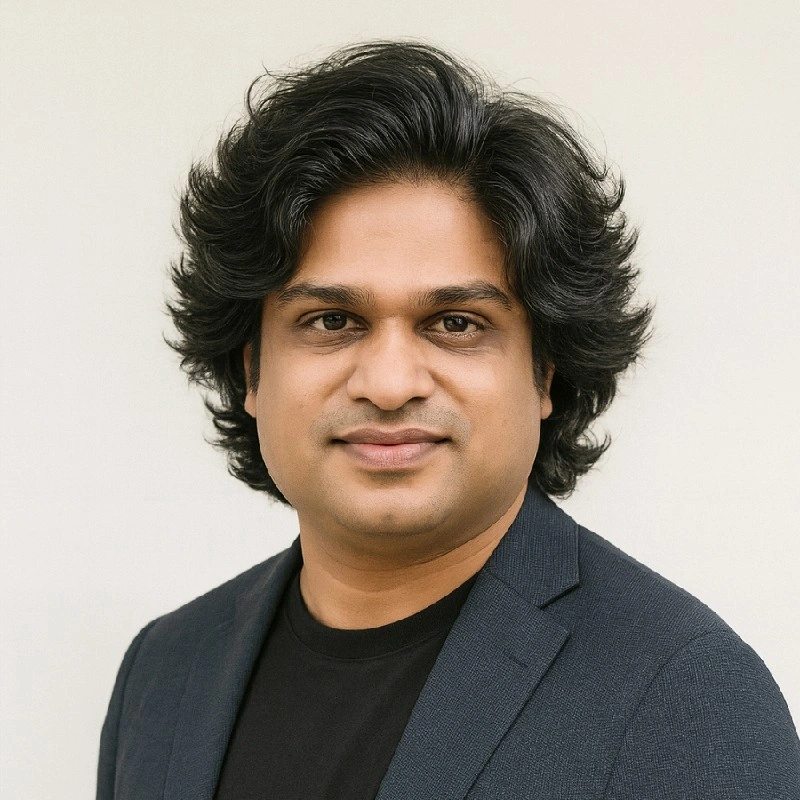
Syam Sasi
Lead Test Engineer • Founder, taqelah!
Bootcamp Curriculum
Four Sundays, 4 hours each — from your first green Appium test to a Playwright-style taqwright suite, taught in both Node and Python.
Live Sessions: June 7, 14, 21, 28 2026 • 2:00 PM – 6:00 PM SGT
The mobile automation landscape, environment setup, and your first green Appium test — then a real login flow. Hands-on in both Node (WebdriverIO) and Python (pytest).
Session 1 (2h) — Introduction & Setup:
- Mobile testing landscape: iOS vs Android, native vs hybrid vs web, APK vs AAB, UiAutomator2 vs Espresso
- Why Appium? Architecture, driver model, and capabilities
- Environment verification and an Appium Inspector walkthrough
- Lab: Run your first green Appium test against the Settings app
Session 2 (2h) — Locators, Commands & Waits:
- Locator strategies: accessibility id (preferred), id, xpath, class name, UiAutomator selectors
- Core commands (tap, setValue, getText) and implicit vs explicit waits — never
sleep - Lab: Automate a login flow on the demo app using locators from Appium Inspector
Turn the login script into a clean, scalable suite — solid synchronization, gestures, data-driven tests, and parallel runs.
Session 1 (2h) — Synchronization & Gestures:
- Synchronization: implicit vs explicit vs fluent waits, and condition-based waiting
- Gestures: scroll-to-element, swipe, drag-and-drop, long-press, double-tap, pinch (
mobile:commands vs W3C Actions) - Labs: Three flavours of waits, and six real gestures with assertions
Session 2 (2h) — Data-Driven & Parallel:
- Data-driven testing: pytest
parametrize/ WebdriverIO data loops — one flow, many rows - Parallel testing:
maxInstances(Node) /pytest-xdist(Python) — one session per device - Lab: Run the login suite across two emulators in parallel
Understand AI, let Claude author your tests, then scale the suite — Page Objects, reporting, CI, and cloud devices.
Session 1 (2h) — AI Foundations & Claude-Assisted Authoring:
- AI foundations in plain English: LLMs as prediction engines, tokens & context windows, prompting, and verifying everything
- A real Claude Code project: CLAUDE.md context, the Appium MCP server driving the device, custom slash commands, and a flaky-hunter sub-agent
- Hands-on: Claude authors specs, refactors flat tests into Page Objects, and hunts flakiness
Session 2 (2h) — Scaling the Suite:
- Page Object Model: Login / Catalog / Product, with one end-to-end flow (login → search → add to cart)
- Reporting (Allure / pytest-html with screenshot-on-failure) and CI on GitHub Actions with emulator auto-boot
- Lab: Run the same suite on the BrowserStack real-device grid
Meet taqwright — the Playwright test runner with a flat mobile locator API on Appium 3. Record, run, AI-generate, and debug in the cloud.
Session 1 (2h) — Getting Started with taqwright:
- What taqwright is: the Playwright runner, fixtures and
expect, with amobilefixture over Appium 3 (UiAutomator2 / XCUITest) - Install & provision (
npm init taqwright,doctor,devices); write tests withgetById/getByLabel,click,filland auto-waiting assertions - Codegen: record a flow, rank locators, and emit a spec
Session 2 (2h) — Scale, AI-Generate & Cloud:
- taqwright test features: projects (Android + iOS), parallelism, parameterize, retries, timeouts, trace viewer, merged reports
- Lab: Run a Page Object spec on BrowserStack — cloud run & debug
What Past Participants Say
Real feedback from attendees of our previous taqelah! workshops
Frequently Asked Questions
Yes. All four sessions are delivered live online on June 7, 14, 21 and 28, 2026 from 2:00 PM – 6:00 PM SGT. Sessions are interactive with hands-on coding, not passive lectures.
No — we'll use emulators and simulators (Android Studio for Android; Xcode on macOS for iOS). Real devices are optional. Windows/Linux participants can focus on Android; macOS participants can cover both platforms.
Not beforehand. We'll walk through setting up Claude Code CLI on Day 3. Participants will need to create an Anthropic account; free tier or a small credit top-up is typically enough for the bootcamp.
After payment is confirmed, we'll share the registration link, cohort channel invite, and joining details via email and WhatsApp.
Yes — recordings will be shared with registered participants for catch-up, but the hands-on labs are best done live with instructor support.
Full refund up to 7 days before Day 1. Within 7 days, we can transfer your seat to the next cohort. Email contact@taqelah.sg to arrange.
Ready to Accelerate Your Mobile Testing?
Applications for the first cohort (starting June 7, 2026) are now closed
Follow us or email contact@taqelah.sg to hear about future cohorts
Bootcamp Pricing
All 4 sessions • recordings • community access • certificate
Full Bootcamp
~ USD 75 • 16 hours of live training • 100 seats
Applications Closed
Thank you for your interest! This cohort is full.
Have Questions?
Chat with us on WhatsApp for instant support